
Calendar scheduling
Month and week views. Drag sessions between days, rest days included.
Week 3 of 8, 2 of 7 sessions done
Build on the calendar, save as a template, assign to every client. Each athlete trains it with their own loads and history.
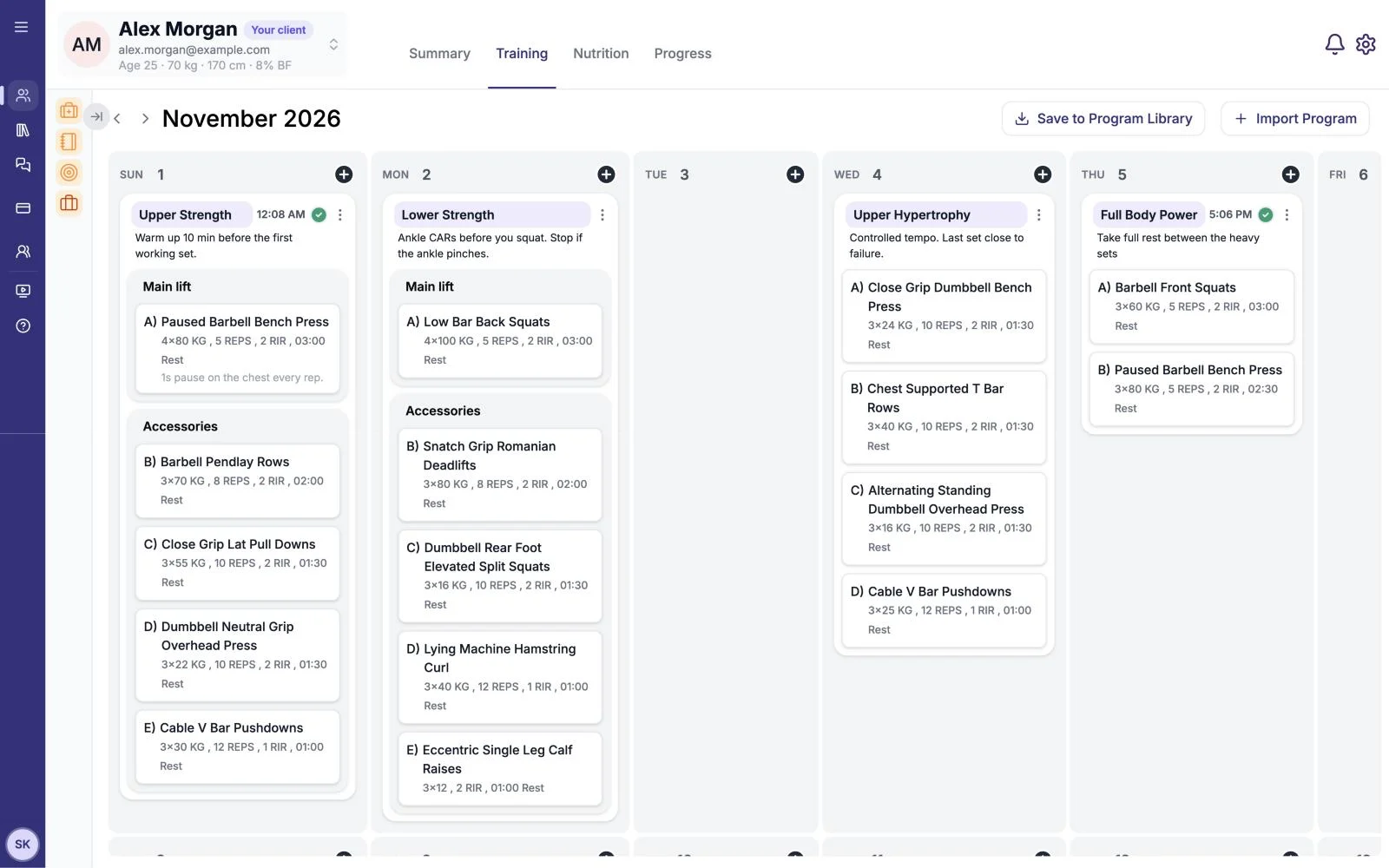
Write the block once and every client trains it on their own loads.
This is the coach web app. Scroll to build Lower strength for Alex and save it as a program.
Open a client’s month, add a workout to any day and give it a name and a note.
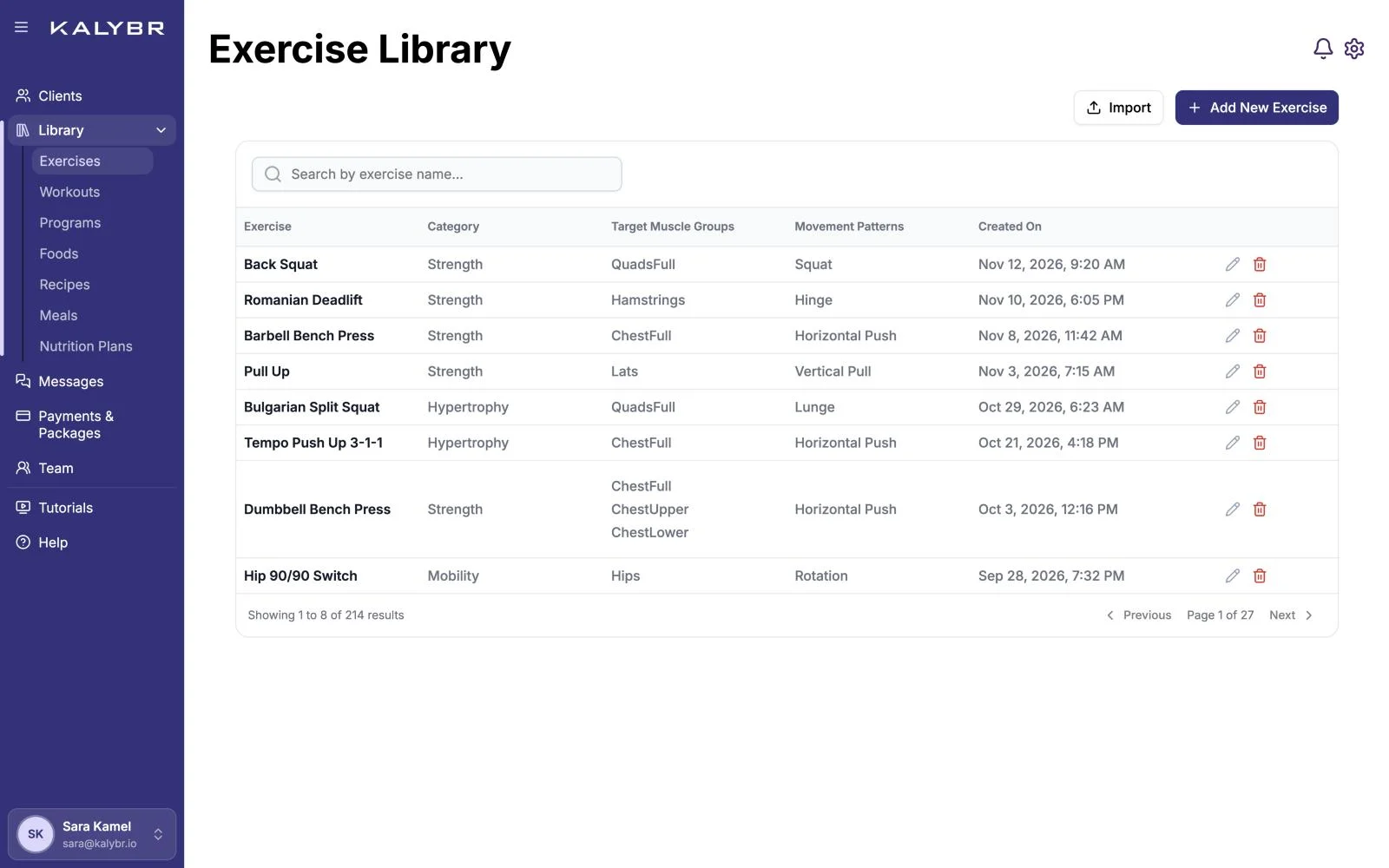
Search your own exercise library and add exercises in order. Each one carries its category, muscles and movement pattern.
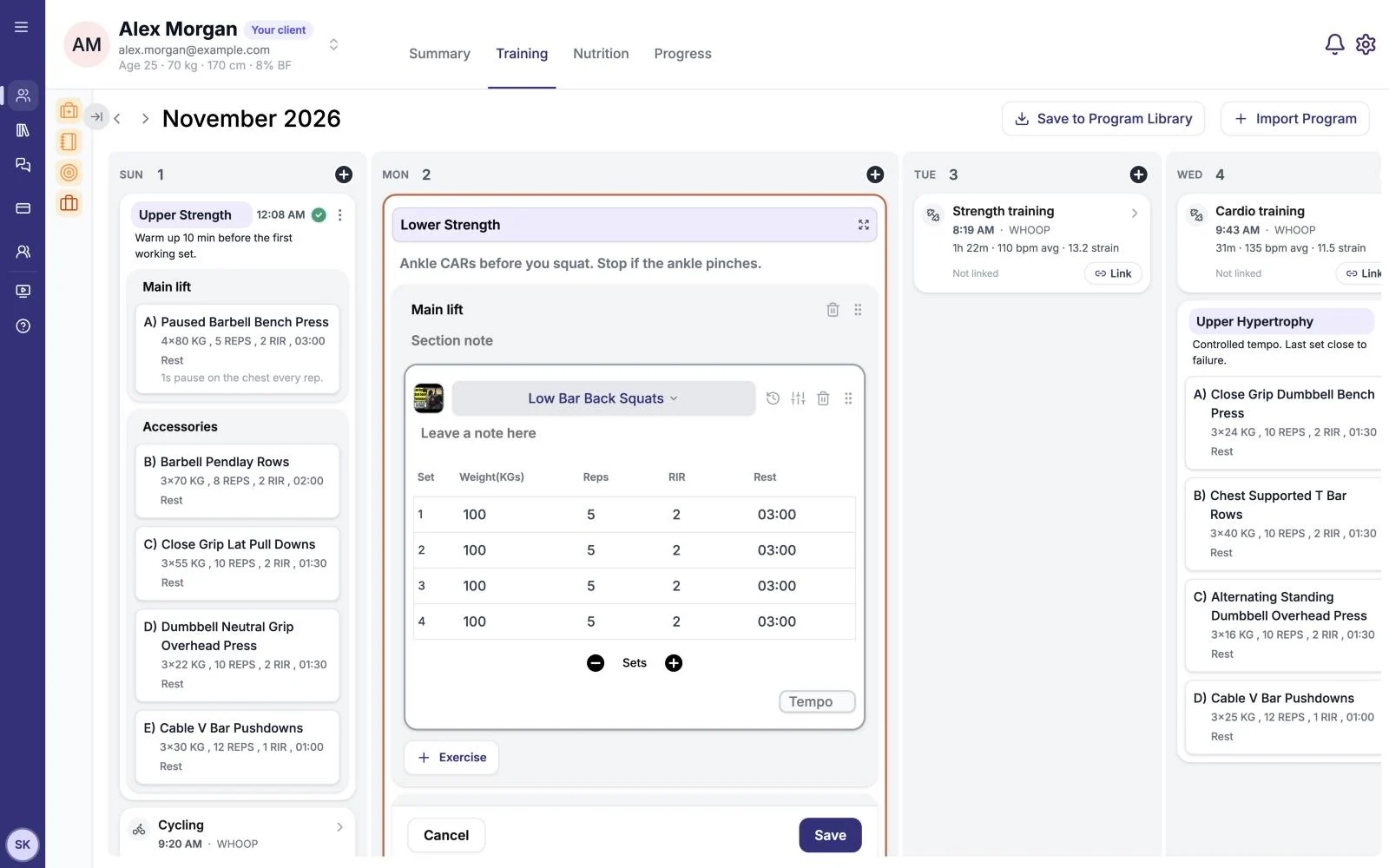
Open an exercise to set sets, weight, reps, RIR and rest, and leave a note your client sees above the sets.
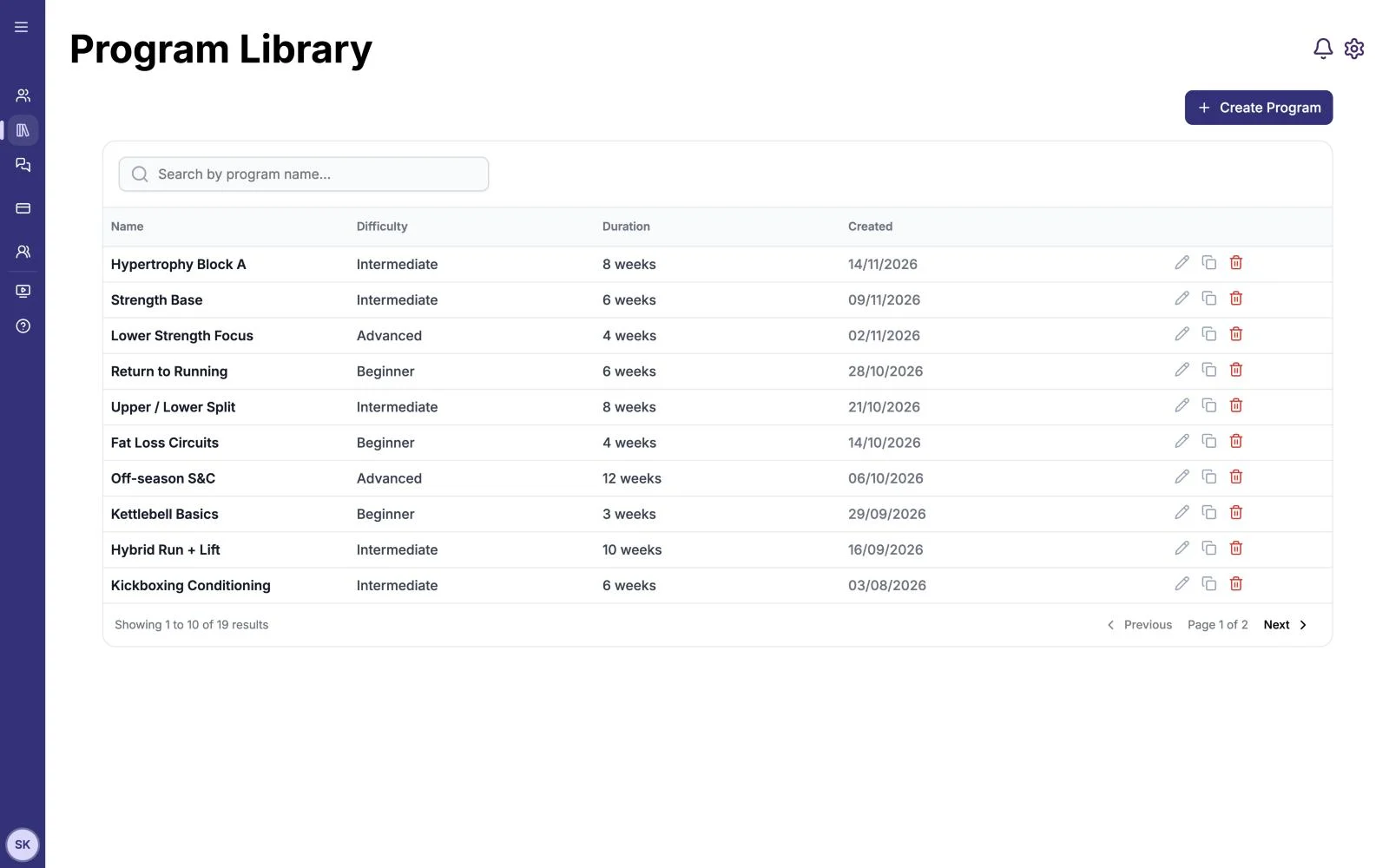
Save the week to your program library, then import it onto any client’s calendar.
The same session, in the app your client opens. Keep scrolling to follow it from Home to their profile.
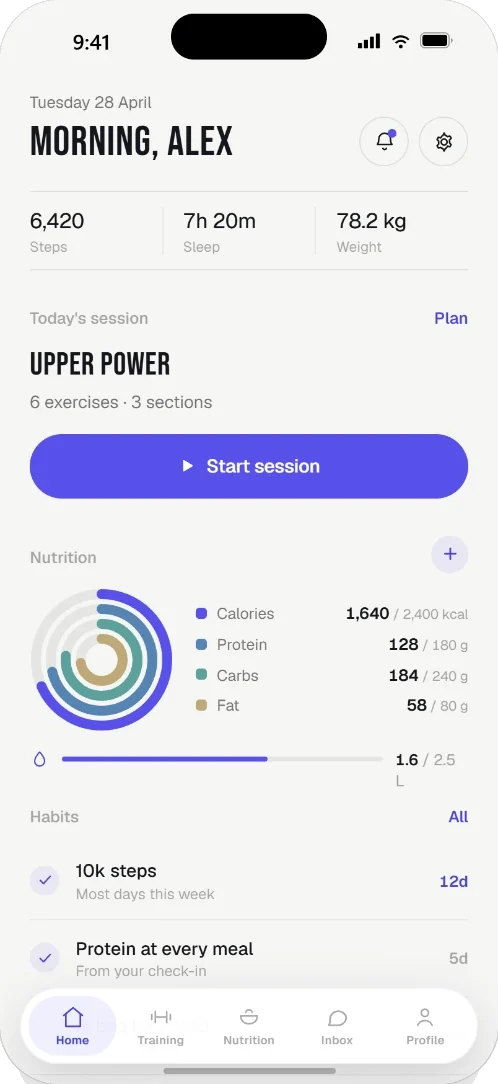
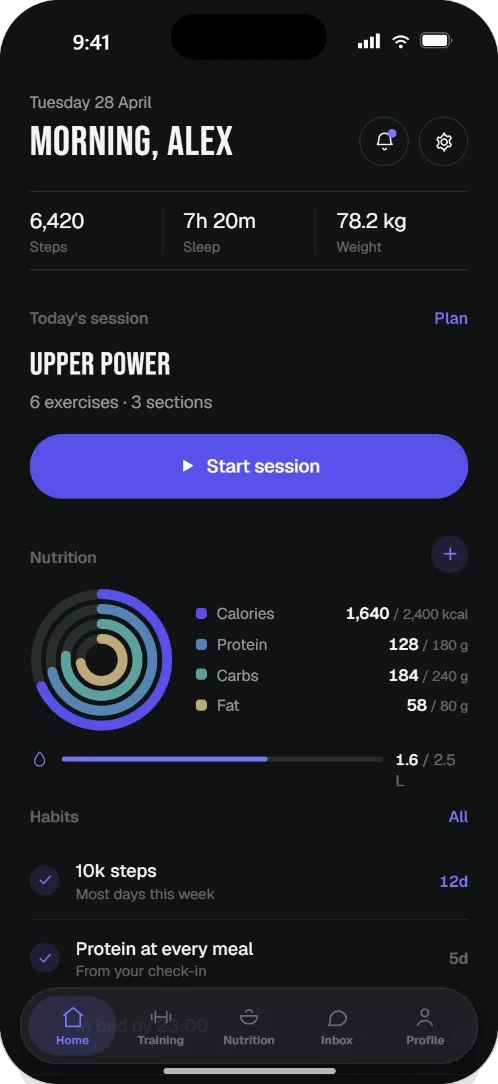
Today’s session sits at the top of Home, one tap from starting.
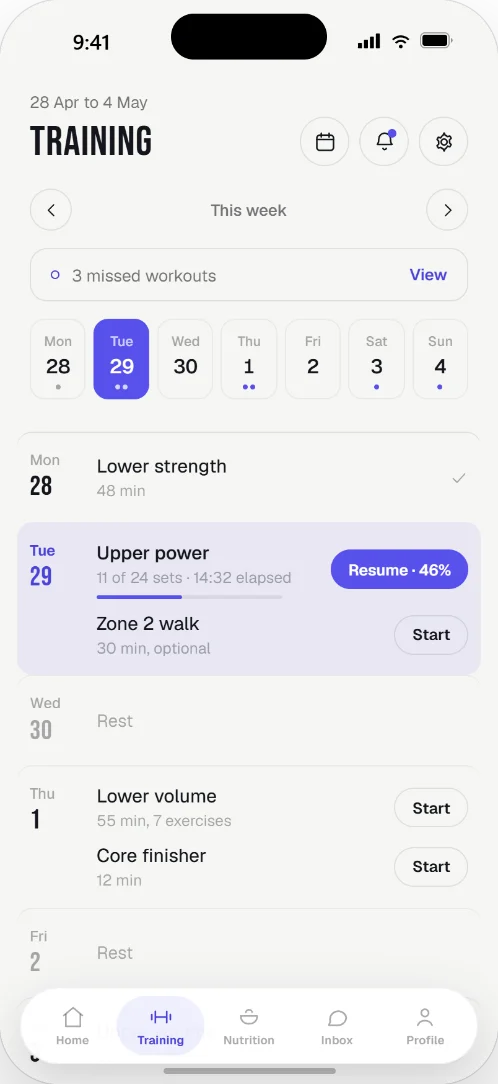
The week laid out day by day, with missed sessions flagged and the one in progress ready to resume.
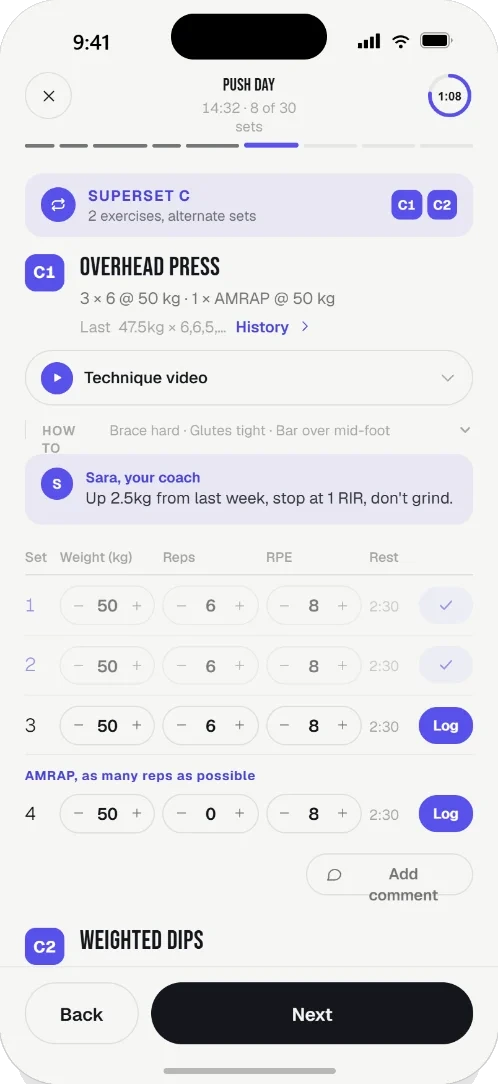
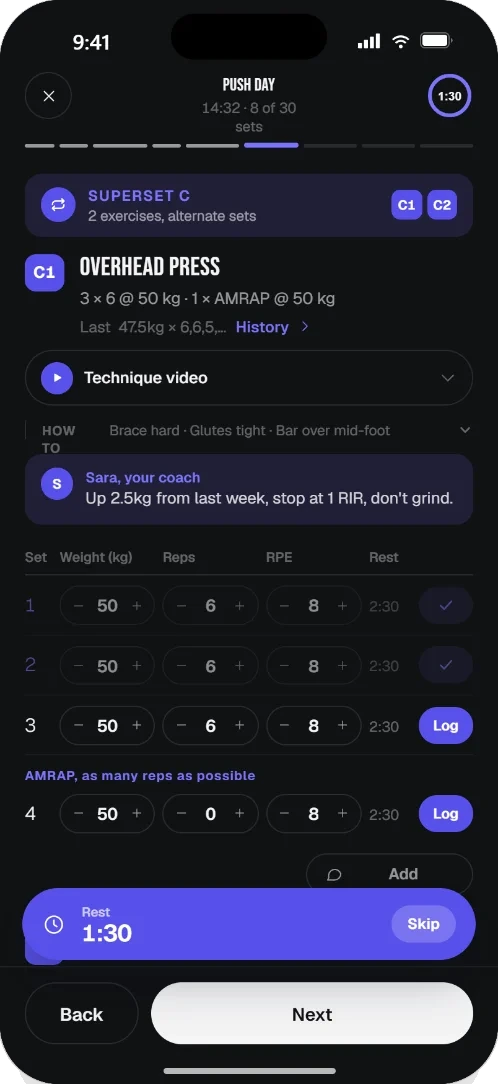
Your cue sits above the sets and last week’s numbers sit beside each one. They change a number, add a note and log it.
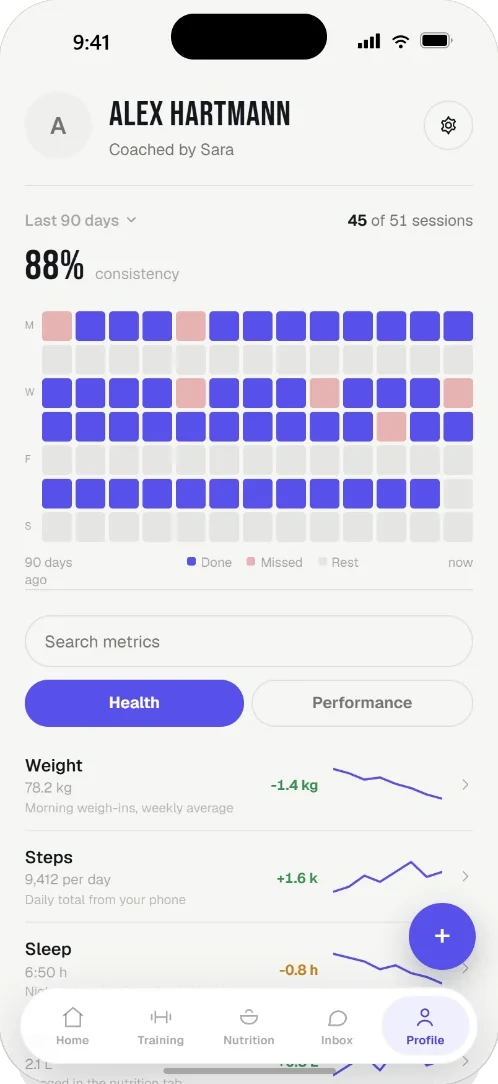
Consistency across the last 90 days and every metric with its trend, on their own profile.
Four steps, and only the first one is yours every time.
Write the session on the calendar with targets on every set.
Save it as a template and give it to one client or all of them.
One set at a time on their phone, with last week on every lift.
Results, records and their notes arrive when they finish.
Save the block as a template and assign it to one athlete or every client.
Month and week views. Drag sessions between days, rest days included.
Week 3 of 8, 2 of 7 sessions doneEdit one athlete without touching the original, or push changes to everyone on it.
Template updated, pushed to 12 clientsAM lift, PM conditioning, on the same day.
AM lower strength, 48 min. PM easy run, 6.2 kmWhat Kalybr does on its own once a program is live.
A planned day passes with nothing logged.
It stays on the calendar marked missed, with Start still on it.A logged set beats their best for that lift and rep range.
It is flagged on the session and on your home screen.The phone goes offline mid session.
Sets save on the device and sync when the connection is back.You edit a program that clients are already on.
You choose: push it to everyone, or keep their copies as they are.One builder, three ways to coach with it.
Individual programs, adjusted week to week from feedback and logged sets.
One program for every client. Each athlete trains it on their own loads.
Session plans for the floor, logged on the athlete phone between sets.
A new sheet per client, copied and patched
Once, as a template. Each client gets their own loads
Edit the file and send it again
Drag it on the calendar. Their app updates
Wait for a message or a screenshot
Done, missed and live show on the calendar
Ask what they lifted
Every set, with records flagged
Links to videos in a chat
Your video and cues inside the set
Rebuild it yourself
Our team rebuilds it as templates
Yes. Send spreadsheets, documents or an export and our team rebuilds them as templates. Included on every plan.
Yes, with alternate sets, tempo, RPE and rest targets on each set.
Yes. Sets save on the device and sync when the connection returns.
Yes. Edit one athlete without touching the template, or update the template and push it to everyone on it.

Thirty days on the full platform. We rebuild your programs for you.